
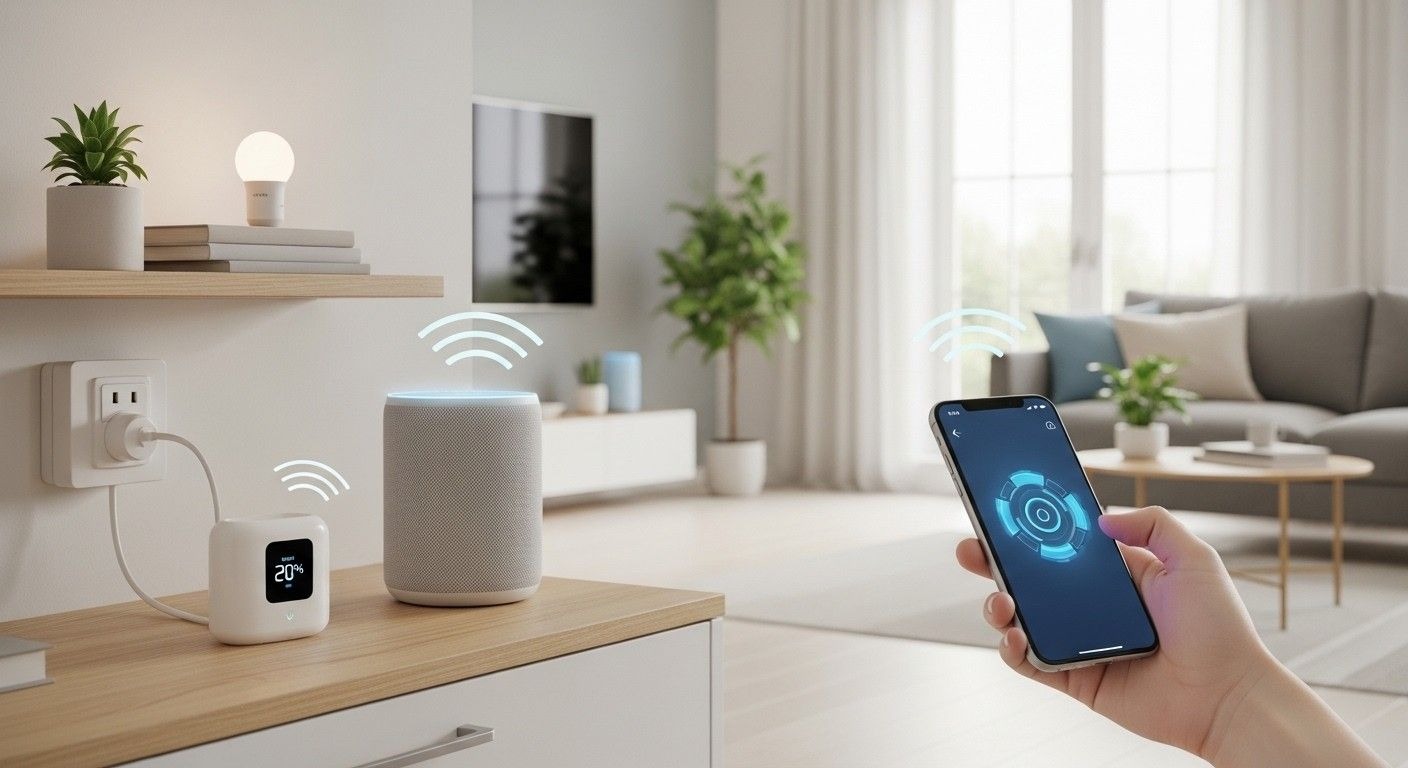
The worldwide smart home industry was worth $137.3 billion in 2024, with over 300 million smart home system installations in North America alone. Over time, tech is becoming both more accessible and cheaper, which means anybody can now improve their daily life while saving on energy bills.
Despite the sophistication of the technology, the multitude of choices, brands, and platforms might discourage starters from taking the plunge. Smart home automation for beginners can be simple if you know what steps to take. This article explains the main advantages of being connected, pinpoints the key components to buy first, and outlines how to set up, troubleshoot, and grow your smart home system.
Introduction to Smart Home Automation
If you are considering getting into smart home automation for beginners, a grasp of the fundamental vocabulary will help a lot. Automation is about linking ordinary household appliances and systems to a central network so you can control them remotely or allow them to operate automatically on a schedule.
There is a big difference between a single “smart device” and real “smart home automation.” A Wi-Fi-enabled bulb that you can control from your phone is great.
An energy-saving smart thermostat is a good example of how upgrading to modern devices can help your heating and cooling systems respond automatically to your presence—or absence.
Security is another reason driving smart home adoption.
Smart locks combined with doorbell cameras allow you to keep an eye on your property from anywhere, and you can even grant entry to visitors or check if your parcel has been delivered—all without leaving your sofa.
Essential Smart Home Devices for Beginners
The best way out of feeling overwhelmed by technology is to start small.
A typical smart home starter set might include:
- Smart plugs: These convert regular appliances into smart appliances in an instant. Simply plug the smart plug into a standard wall socket, and then plug your coffee maker or lamp into that.
- Smart bulbs: Probably the lowest-hanging fruit when it comes to smart home purchases. Swap out your regular bulbs for these, and you instantly get control over lights’ brightness and color via your smartphone or voice assistant.
- Smart speaker or display: These are your home control hubs. Alexa devices and Google Nest Hubs let you operate the gadgets of your smart home using voice commands.
To visualize the basic starter kit, think of a single smart speaker, two smart bulbs for the living room, and one smart plug for the coffee machine.
Smart Home Automation for Beginners: The Setup Process
Set a primary ecosystem first before buying too many devices; that way, you will save both money and avoid frustration. Pick Apple, Google, or Amazon right now.
The upshot of the industry leaders’ collaboration on the Matter protocol is a standard of communication that has worked like magic: devices from different brands can now compatibly share platforms.
Usually, the setting up of equipment consists of very basic steps: First, put the item near a power source. Then, install the maker’s companion application on your mobile device. Next, adhere to the instructions visible on the screen to link the gadget to your home Wi-Fi and designate it to a particular room.
Creating Smart Home Routines
A significant element of smart home automation for beginners lies in getting beyond using controls and into producing automatic sequences.
Any “time to wake up” scenario, for instance, can be triggered at the same time as the lighting of the bedroom, the warming up of the coffee, and the broadcasting of the weather on the speaker.
You can use a variety of methods to trigger your rituals. Time of day is the most usual one. You may also leverage location-based geofencing so that the minute your smartphone walks into the driveway, your house automatically switches on the outside lights and adjusts the indoor temperature.
Troubleshooting Common Issues
One of the major issues is going to be devices dropping connections to Wi-Fi. Since smart devices depend heavily on connectivity, it is ideal that they are always kept within the area of the router’s reach. Another option that can be considered is that of using a mesh network system, which does away with the Wi-Fi dead zones in the house.
Besides, an occasional fix for devices showing “offline” status is just unplugging and then plugging them back in. If the power cycling still does not work, check whether the device will need a firmware update in order to be functional again.
Advanced Smart Home Concepts
Sensors represent the next step for true automation. Motion sensors can trigger hallway lights at night, door/window sensors can alert you to security breaches, and temperature sensors can optimize your climate control based on the specific room you occupy.
If you are looking for more complicated and advanced cross-brand automations, platforms for integrating with third parties, such as “If This Then That,” offer a good range to start with. As you gain more experience, you can even check out some smart home renovation ideas that will help you make your new home perfect with each and every step planned out smartly.
Future of Smart Home Technology
The industry is moving rapidly toward more intuitive, proactive systems as we head into 2025 and beyond.
Advanced AI integration will allow homes to anticipate user needs rather than waiting for explicit commands. Your house will learn your daily patterns, recognizing when you usually watch movies and automatically dimming the lights without you asking.
The continued growth of the Matter protocol will unify the smart home experience even further, eliminating the remaining barriers between competing brands and making setups completely frustration-free.
Your Next Steps in Connected Living
Getting into smart home automation for beginners also implies understanding that constructing a connected ecosystem is more of a marathon than a sprint. Initially, with just one or two simple devices, you can comfortably modernize your home without stress.
Pick up a smart plug or Wi-Fi bulb for starters this weekend and work on straightforward routines, such as morning ones, to get familiar with your devices.
Already decided on your very first smart gadget? Post your initial smart home kit in the comments section, or subscribe to our weekly tech newsletter for more gadget reviews, beginner guides, and optimization tips.
FAQs
What is the best smart home system for beginners?
Amazon Alexa and Google Home are widely considered the most accessible and budget-friendly platforms for starting.
Do smart home devices use a lot of Wi-Fi data?
Most devices use very little data to transmit basic commands, though security cameras will consume significantly more bandwidth for video streaming.
Can I set up a smart home in a rented apartment?
Yes, devices like smart plugs, bulbs, and freestanding speakers require no permanent wiring or structural changes.
Do smart devices work during a power outage?
No, most smart devices require an active Wi-Fi connection and electrical power to function properly.
What is the Matter protocol?
Matter is a universal standard that allows smart home devices from different manufacturers to communicate and work together seamlessly.